How to List Your MVP Headgear on Ragnarok Origin Classic in GhostringPH
Step-by-step guide with screenshots on how to post an MVP headgear listing on GhostringPH for Ragnarok Origin Classic players.
MVP headgears are high-value items — listing them properly on GhostringPH puts them in front of serious buyers quickly. Here is the complete process.
What You Need Before Listing
Step 1 — Visit GhostringPH and Sign In
Go to GhostringPH and click the '+ Post Listing' button. If prompted, sign in with your Discord account. The authorization is read-only — GhostringPH only accesses your Discord username and avatar.

Step 2 — Open the Post Listing Modal
After logging in, click '+ Post Listing' again. The listing form opens as a modal overlay.
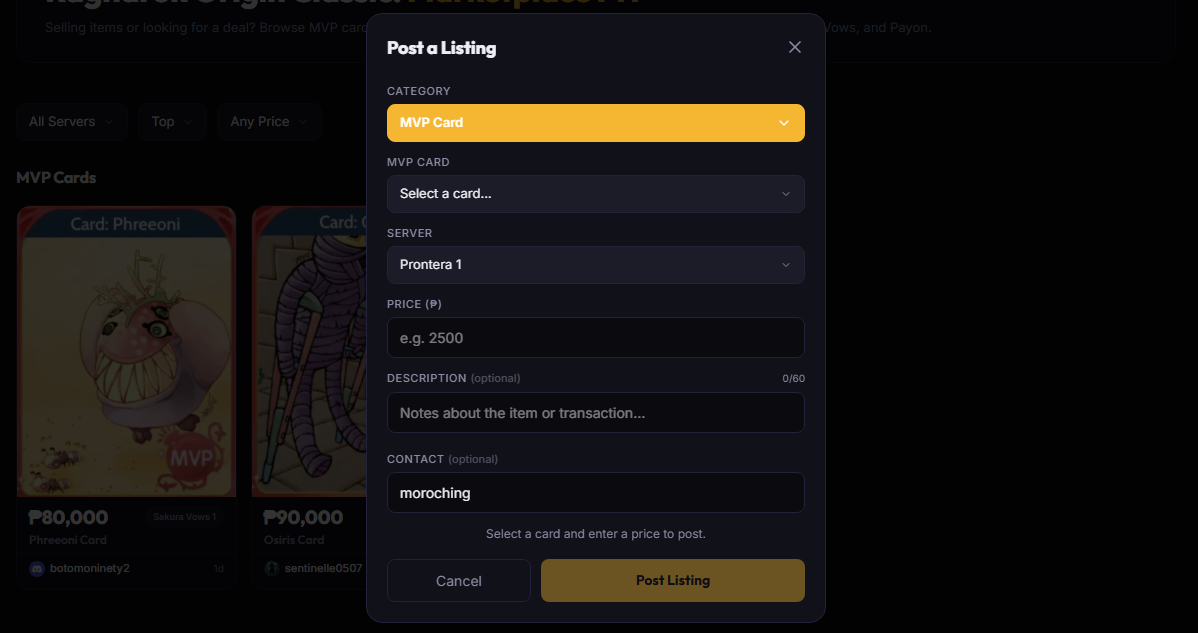
Step 3 — Select MVP Headgears and Fill the Form
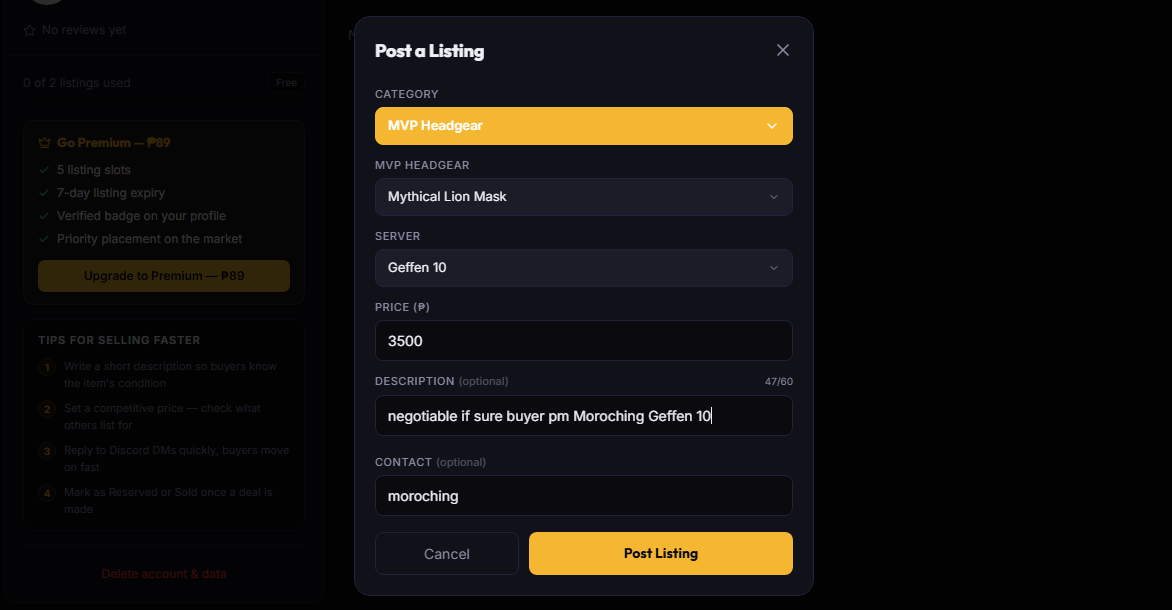
Step 4 — Post and Monitor Your Listing
Click 'Post Listing.' Your MVP headgear will appear in the MVP Headgears section within 1 minute. Interested buyers will message you on Discord.

After Posting
Premium members get 7-day listing expiry and priority placement in search results. Upgrade from your Profile page.