How to List Your Accessories on Ragnarok Origin Classic in GhostringPH
A step-by-step guide with screenshot placeholders showing how to post an accessory listing on GhostringPH for Ragnarok Origin Classic.
Listing your accessories on GhostringPH takes less than 2 minutes. Here is exactly how to do it.
Before You Start
Step 1 — Go to GhostringPH and Log In
Visit GhostringPH and click the '+ Post Listing' button in the top navigation bar. If not logged in, you will be prompted to sign in with Discord. Click 'Sign in with Discord' and authorize the app — it only reads your username and avatar.

Step 2 — Open the Post Listing Form
Once logged in, click '+ Post Listing' again. A modal window will appear with the listing form.
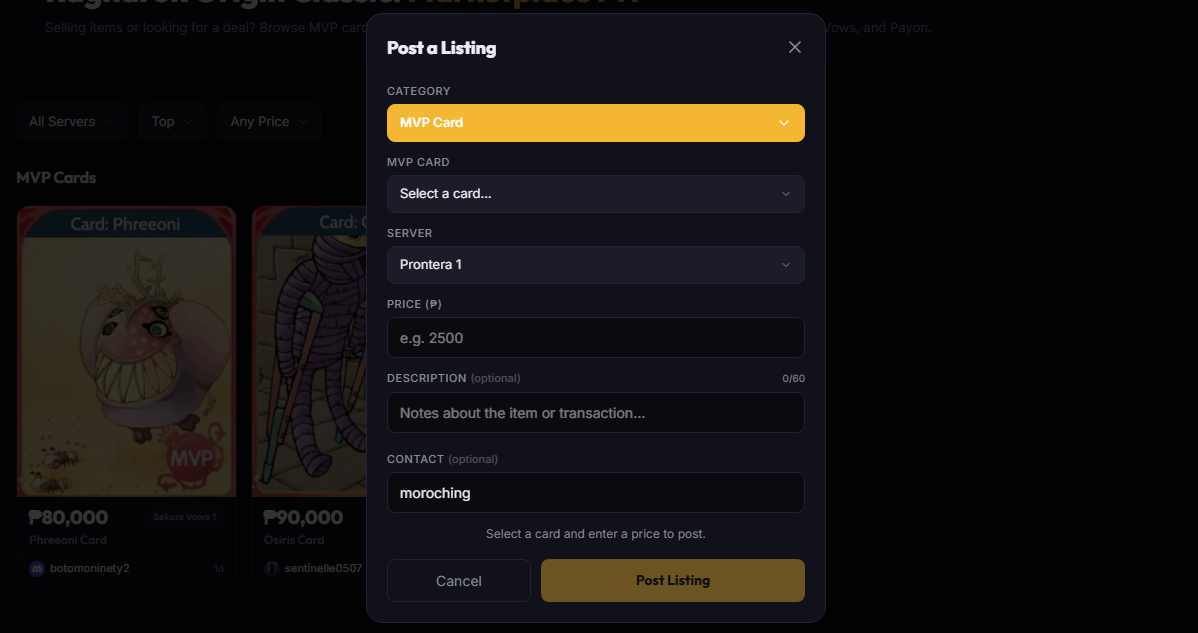
Step 3 — Fill in the Listing Details
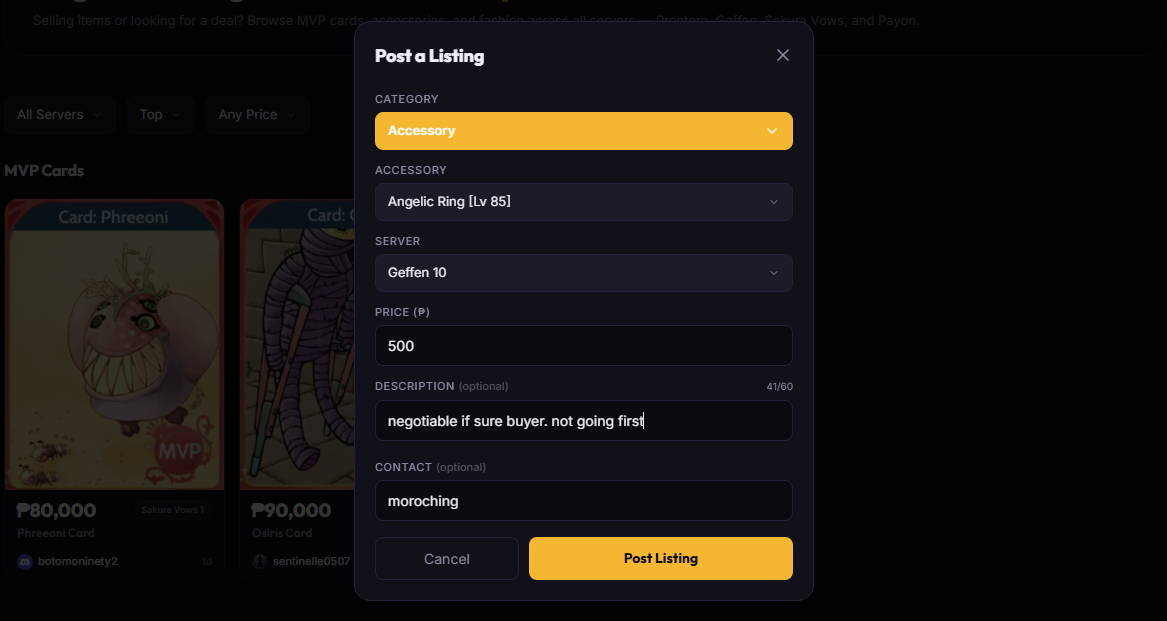
Step 4 — Submit Your Listing
Click 'Post Listing' to submit. Your listing will appear on the Accessories page within 1 minute. Buyers will be able to see it and message you directly on Discord.

Managing Your Listing
Add a description with your Discord availability to help buyers reach you faster.